
PLD Matters
Supporting Springfielders to harness technology for learning while developing the confidence, responsibility and judgement to navigate the digital world well.
PLD Matters
As part of MOE’s Personalised Digital Learning Programme, all secondary school students are issued a school prescribed Personal Learning Device, PLD.
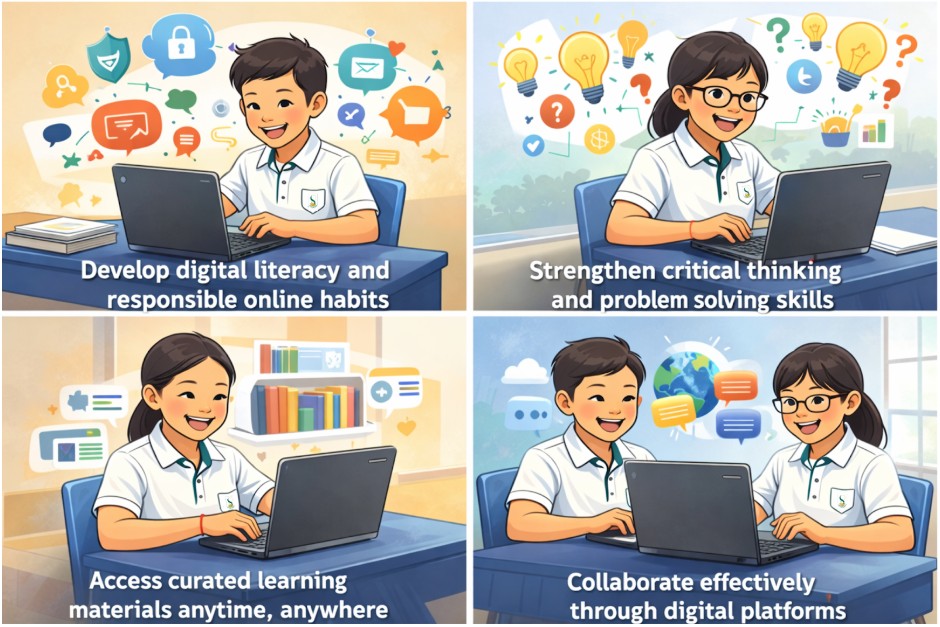
The PLD supports teaching and learning in and beyond the classroom. It enables students to access digital resources, collaborate with peers, and engage in interactive learning experiences.
Through the use of PLDs, students learn to:
Our PLD Devices
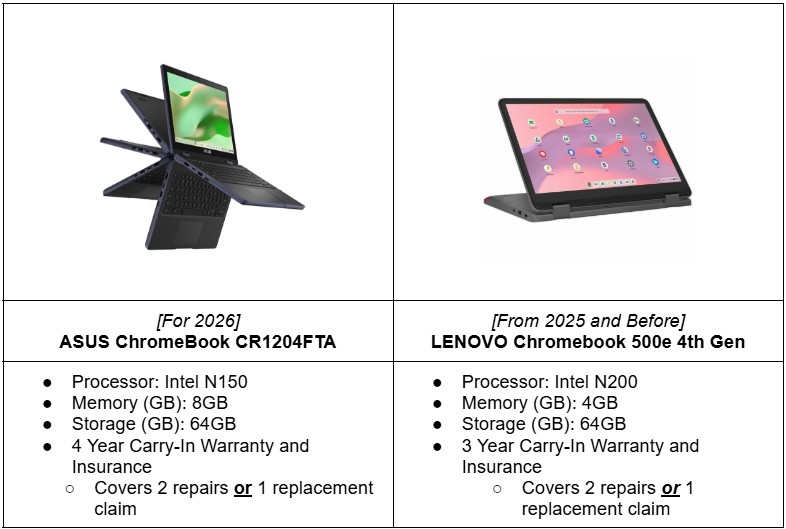
At Springfield Secondary School, our chosen PLD is:
Device Management Application (DMA)
An MOE Device Management Application has been installed on all students’ PLDs. The DMA provides a safer digital environment for learning and supports both the school and parents in guiding students’ device use.
In School Settings, 6.00 a.m. to 3.00 p.m.
During school hours, default DMA settings apply:
Access to undesirable internet content is blocked
Only selected applications prescribed by the school are accessible
After School Hours, 3.00 p.m to 10.30 p.m
Parents may choose one of the following options:

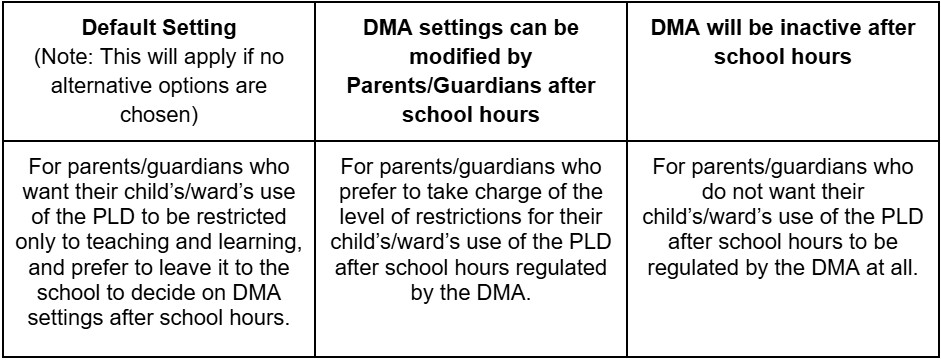
Please complete a form here (opens in new tab) to change your DMA Options.
Please note:
The device will shut down at 10.30 p.m. by default.
Changes to After School DMA options are collated on the last Fridays of each month and will take effect the following week.
The DMA will be uninstalled when the student graduates or leaves the school.
For further details about each of the DMA options and the setup process, please refer to the attachments linked (opens in new tab).
PLD Technical Support
💻 Reporting Device Issues, Hardware Faults or Damages
The student should bring the device to the ICT Team at Computer Lab 1 for diagnostic assessment and checking of warranty/insurance validity.
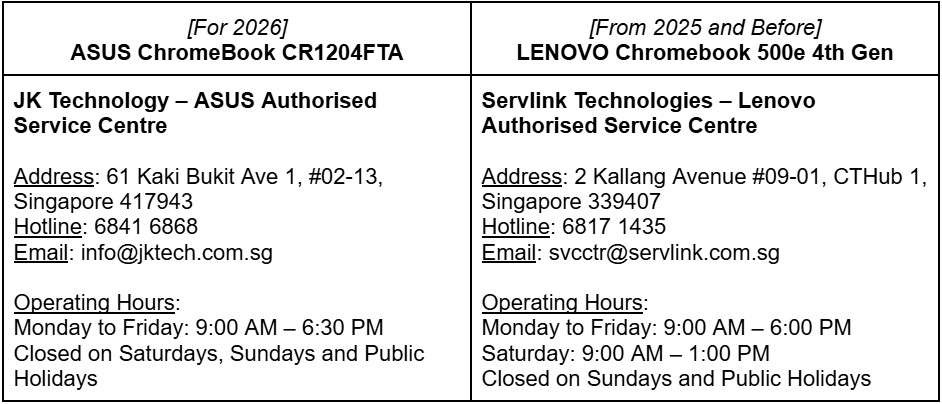
(For students using the ASUS Chromebook, JK Technology provides only on-site collection services. The ICT Team will advise if this arrangement is possible, on a case-by-case basis.)Please note that the ICT Team is not able to carry out major or extensive repairs.
If necessary, the ICT Team will advise the student to bring the device to the vendor’s service centre for repair.
💻 Reporting Lost Devices
Parents are required to make a police report for the lost device.
Parents should contact the device contractor directly via their helpdesk or service centre.
A copy of the police report must be submitted to the vendor for insurance claims, this applies only if the device is still within the insurance coverage period.
The vendor’s helpdesk or service centre will advise parents on the insurance claim process.
Parents/students should also inform the school’s ICT Team at Computer Lab to arrange for the device to be remotely locked.
Cyber Wellness
At Springfield Secondary School, we believe that digital literacy must be accompanied by strong values and responsible decision making. The PLD is a powerful learning tool, and students must learn to use it wisely, respectfully, and safely.
To support this, the school intentionally educates students on cyber wellness through assembly talks, school-wide programmes, and To support this, the school intentionally educates students on cyber wellness through assembly talks, school-wide programmes, and , equipping them with the knowledge and judgment to navigate the digital world responsibly.
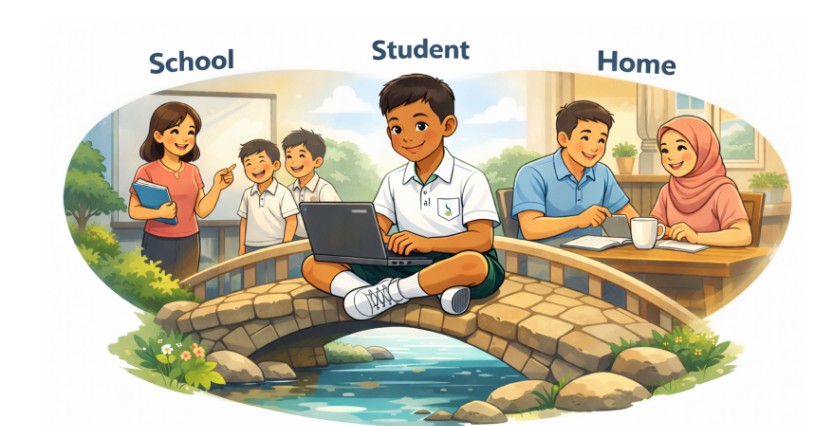
Together with the school, parents play a vital role in shaping responsible digital habits. You can support your child by:
Having regular conversations about their online experiences
Setting clear expectations for appropriate device use at home
Establishing screen free times, especially before bedtime
Monitoring online behaviour in age appropriate ways
Modelling respectful and responsible digital behaviour
When schools and parents work together, students develop not just digital skills, but the judgement and character to use technology well.
Here are some useful cyber wellness resources for your easy reference:
MOE - Parent Handbooks on Learning with a Personal Learning Device (opens in new tab)
Digital For Life - Raising Children in the Digital Age (opens in new tab)
Families for Life - Parent Guide to Digital Wellness (opens in new tab)
National Library Board - SURE Campaign (opens in new tab)